Quick Guide on Salesforce QuickBooks Integration: Real-Time Data Sync Configuration with No-Code Setup
October 24, 2025Team QB Sync Made Easy3 min read
Share This Article
Quick Guide on Salesforce QuickBooks
Integration: Real-Time Data Sync Configuration with No-Code Setup
Keeping your financial and CRM data in sync is essential for smooth business operations. With Salesforce QuickBooks Integration, you can seamlessly connect QuickBooks to Salesforce without writing a single line of code. This ensures your teams always have real-time, accurate data — eliminating manual data entry, reducing errors, and improving decision-making.
Using QB Sync Made Easy, you can set up Salesforce QuickBooks integration in just a few simple steps. Once connected, both QuickBooks and Salesforce instantly update any data changes.
Why Use QuickBooks and Salesforce Integration with Real-Time Sync
Real-Time Data Flow – Automatic and instant updates between QuickBooks and Salesforce.
Save Time – Eliminate manual data entry and prevent duplicate records.
Accurate Information – Both systems always reflect the latest changes.
No-Code Configuration – Set up the integration without technical expertise.
Better Business Insights – Unified data helps generate more accurate reports and make smarter decisions.
Let’s follow the guide step-by-step
Step-by-Step Guide: How to Connect Salesforce to QuickBooks
The Salesforce QuickBooks integration process is divided into two main parts:
Step 1: Configure the App & Field Mapping
Before enabling real-time synchronization, configure your app and field mapping to define which data should sync between the two systems.
Step 2: Enable QuickBooks to Salesforce Real-Time Synchronization
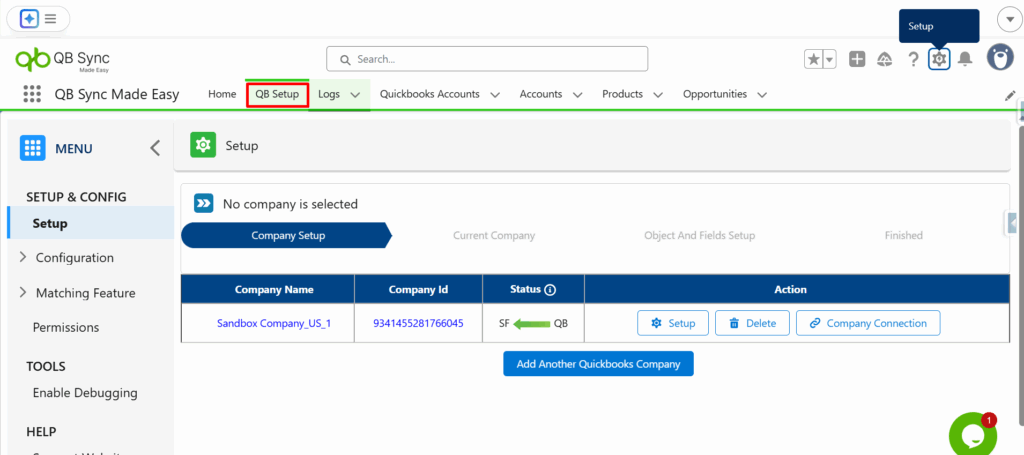
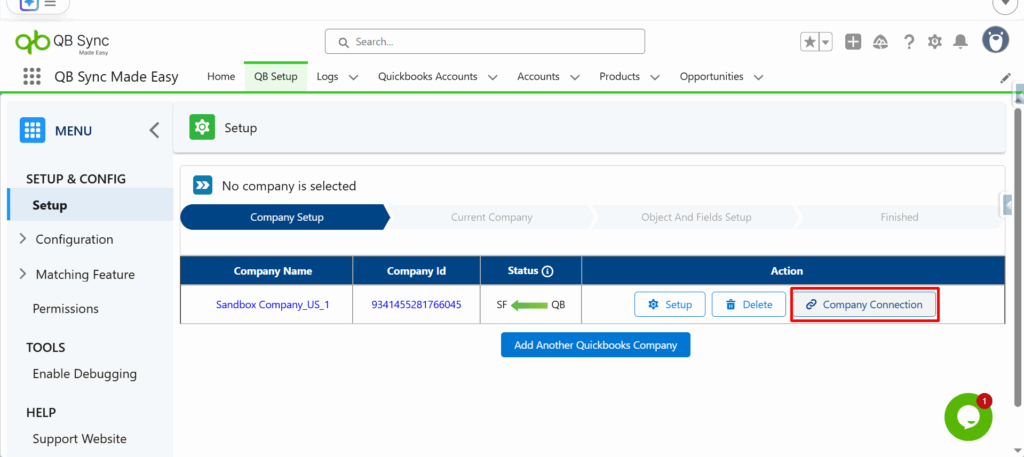
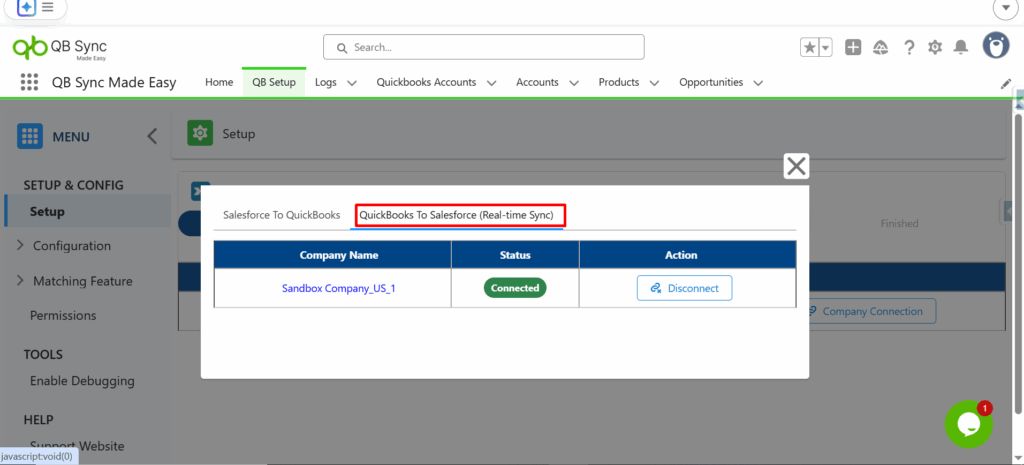
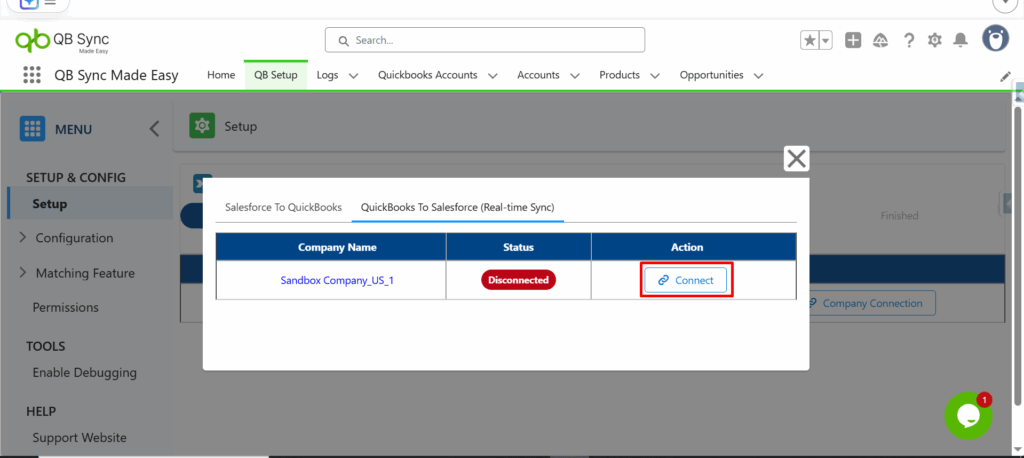
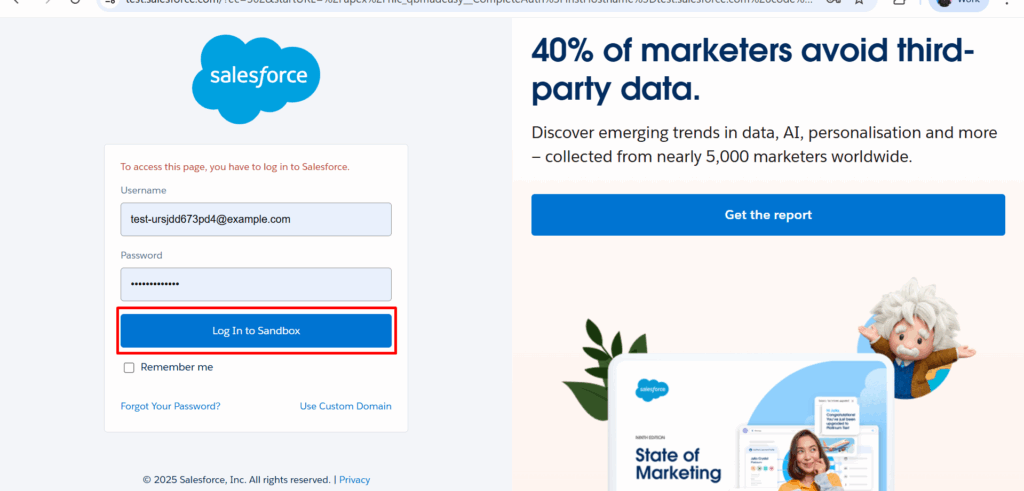
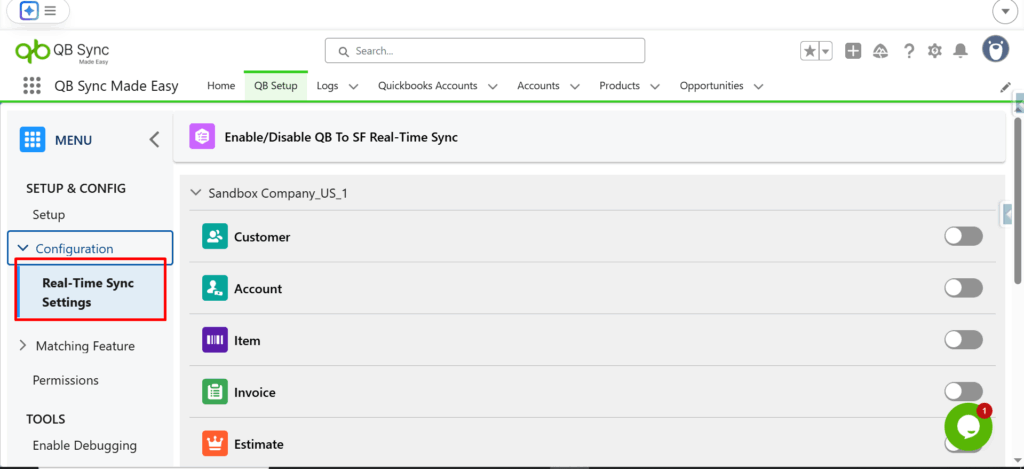
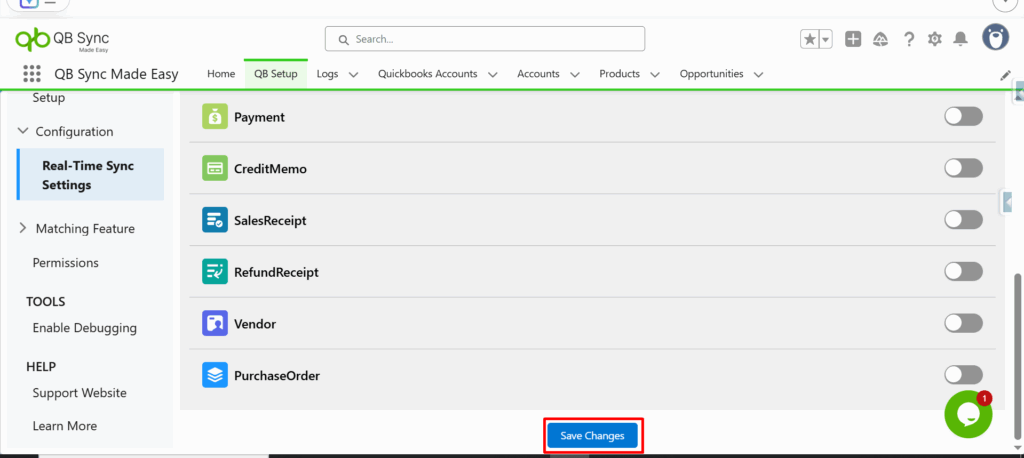
Once your configuration is complete, enable real-time sync by following these steps:
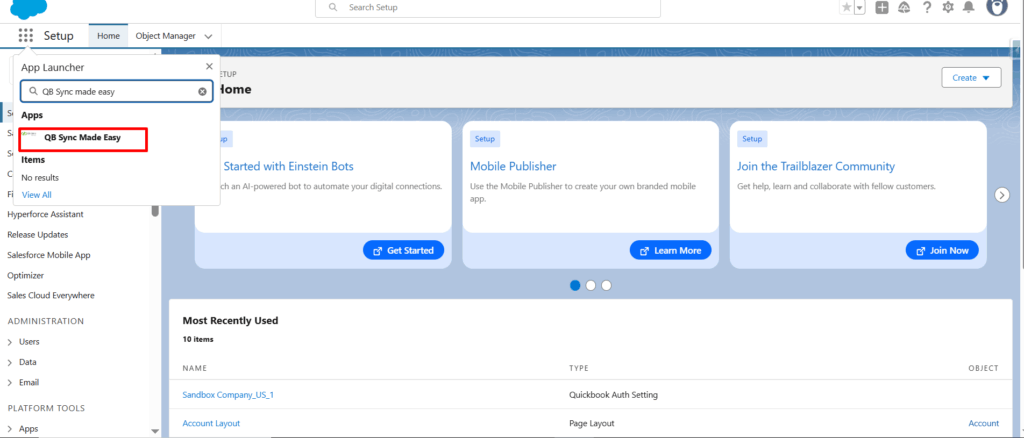
1- Open the App Launcher and search for QB Sync Made Easy.
After completing these steps, your Salesforce QuickBook integration is fully active. Any updates made in either system — whether it’s customer information, invoices, or transactions — are reflected instantly in the other. This ensures your teams always work with the most up-to-date information, improving collaboration and operational efficiency.
With this no-code QuickBooks Salesforce integration, you can:
Automate data synchronization
Reduce manual work and human error
Improve visibility across sales and finance teams
Make faster, data-driven decisions
Conclusion
QuickBooks and Salesforce integrationdoesn’t have to be complex. By using QB Sync Made Easy, businesses can connect Salesforce to QuickBooks effortlessly and enjoy the power of real-time, two-way data flow — without depending on developers. If you are looking to set up your QuickBooks and Salesforce integration the easy way? Get started with our QB Sync Made Easy app today — available now on AppExchange.
Real-Time Data Sync ensures that any changes made in Salesforce or QuickBooks are instantly updated in the other system. This two-way synchronization keeps customer, invoice, and transaction data accurate and up-to-date
No. Using apps like QB Sync Made Easy, you can set up Salesforce QuickBooks integration with real-time synchronization without writing any code, making it accessible for non-technical users.
Real-Time Data Sync saves time by eliminating manual entry, reduces human errors, ensures accurate reporting, and improves collaboration between sales and finance teams for smarter decision-making.
Yes. During setup, you can configure field mapping to decide exactly which customer, invoice, or transaction data should sync between Salesforce and QuickBooks, ensuring only relevant information is shared.
Salesforce QuickBooks Integration allows your CRM and accounting systems to connect seamlessly, enabling automatic data flow between Salesforce and QuickBooks. This reduces manual entry, prevents errors, and improves overall business efficiency.