In 2026, businesses expect more from their accounting software than ever before. From AI-powered automation to stronger security and real-time integrations, the latest QuickBooks Online updates are focused on helping companies work faster, smarter, and more securely.
As financial operations become more connected with CRM systems like Salesforce, modern businesses are also paying close attention to how these updates improve Salesforce to QuickBooks workflows and accounting automation.
At the same time, rising concerns around cyber threats and compliance have made QuickBooks security news a major topic among finance teams.
This guide covers the most important QuickBooks updates in 2026, including AI features, automation improvements, security enhancements, integration capabilities, and what these changes mean for businesses using QuickBooks Online every day.
QuickBooks Online Updates that Matter More in 2026
Accounting software is no longer just about bookkeeping. Businesses now rely on platforms like QuickBooks Online for real-time reporting, invoice management, payroll, forecasting, and financial visibility across teams.
Because of this shift, every QuickBooks update directly impacts:
- Financial accuracy
The latest QuickBooks updates help businesses maintain cleaner financial records by reducing duplicate entries and manual errors. This improves reporting consistency and supports more reliable decision-making. - Workflow automation
Automation features streamline repetitive accounting tasks like invoicing, reconciliation, and expense tracking. This helps businesses save time while improving operational efficiency. - Data security
Enhanced security capabilities help businesses protect sensitive financial and customer data from growing cyber threats. Stronger safeguards also improve compliance and account protection. - Team productivity
By reducing manual accounting work, teams can focus more on strategic financial planning and customer operations. Faster workflows also improve collaboration across departments.
Companies that stay updated with the latest QuickBooks Online features can streamline operations and avoid inefficiencies caused by outdated processes.
This growing reliance on cloud accounting is also why QuickBooks is investing heavily in AI-driven automation and connected ecosystem improvements.
Let’s dive deeper to learn more:
AI-Powered Automation Is Becoming the Core of QuickBooks
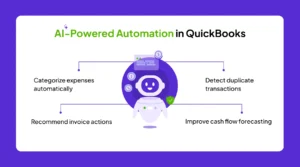
One of the biggest QuickBooks Online Updates in 2026 is the expansion of AI-powered accounting automation.
QuickBooks now uses intelligent automation to:
- Categorize expenses automatically
AI-powered categorization helps QuickBooks classify expenses based on historical transaction patterns. This reduces manual bookkeeping work and improves accounting accuracy. - Detect duplicate transactions
The platform can identify duplicate entries before they affect financial records or reconciliation processes. This helps businesses avoid reporting inconsistencies and operational confusion. - Recommend invoice actions
QuickBooks now provides smart recommendations for invoice follow-ups and payment reminders. Businesses can improve collections and reduce overdue payments more efficiently. - Improve cash flow forecasting
AI-driven forecasting tools analyze transaction history and financial trends to predict future cash flow. This helps businesses make proactive budgeting and financial decisions.
These features reduce manual work and help finance teams focus more on strategic tasks rather than repetitive accounting activities.
This trend also aligns with the larger movement toward AI-driven finance operations, where accounting systems continuously learn from transaction behavior to improve accuracy over time.
Improved Salesforce to QuickBooks Integration Capabilities
As businesses increasingly connect CRM and accounting systems, improvements in QuickBooks Salesforce integration have become a major focus.
Modern integrations now support:
- Real-time invoice synchronization
Invoices can now sync instantly between Salesforce and QuickBooks without relying on manual imports. This improves billing speed and operational efficiency. - Automated customer and payment updates
Customer details, invoice records, and payment statuses automatically update across connected systems. This helps teams work with more accurate and up-to-date information. - Faster reconciliation between sales and finance teams
Shared real-time data improves alignment between sales and accounting departments. Teams can reconcile payments and invoices more quickly with fewer communication gaps.
This is especially important for businesses using Salesforce opportunities to trigger QuickBooks invoices automatically.
How Real-Time Sync Improves Financial Operations
With better integration support, teams no longer need to manually transfer customer or invoice data between systems.
This means:
- Faster billing cycles
Automated synchronization helps businesses generate and process invoices more quickly. Faster billing directly improves cash flow and customer response times. - Improved sales visibility
Sales teams gain access to payment and invoice updates directly within connected systems. This improves customer communication and revenue tracking. - Reduced accounting errors
Automation minimizes manual entry mistakes and duplicate records across systems. This improves reporting accuracy and operational reliability.
For businesses managing high transaction volumes, real-time syncing significantly improves operational efficiency.
QuickBooks Security News: Stronger Protection Features in 2026
Security continues to be one of the most important areas of QuickBooks development. Recent quickbooks security news highlights stronger protections, including:
- Advanced multi-factor authentication
QuickBooks now offers stronger authentication measures that add extra verification layers during login. This helps prevent unauthorized access to financial systems. - Improved suspicious login detection
The platform can identify unusual login activity and alert users about potential threats. Businesses can respond more quickly to suspicious account behavior. - Enhanced encrypted data storage
Updated encryption standards improve protection for stored accounting and customer data. This reduces risks associated with cloud-based financial operations. - Better API security for integrations
Stronger API protections secure data transfers between QuickBooks and third-party platforms like Salesforce. This is critical for businesses relying on automated integrations.
As cyber threats targeting financial systems continue to grow, these updates help businesses protect sensitive accounting data more effectively.
This is particularly critical for companies using third-party integrations or managing remote accounting teams across multiple locations.
Better Reporting and Financial Forecasting Tools
Another major area of improvement in QuickBooks Updates is reporting and forecasting.
QuickBooks Online now offers:
- More customizable dashboards
Businesses can personalize dashboards to display the most relevant reports and financial metrics. This improves visibility into day-to-day operations. - AI-assisted financial forecasting
AI-powered forecasting tools analyze trends and transaction history to predict future financial outcomes. This helps businesses make smarter budgeting decisions. - Real-time profitability insights
Companies can now monitor profitability across products, services, and customers more dynamically. This improves financial planning and operational analysis. - Smarter cash flow analytics
Enhanced analytics tools help businesses track incoming and outgoing cash flow more effectively. This improves financial stability and cash management strategies.
These features allow businesses to make faster and more informed financial decisions.
Instead of relying on static reports, finance teams can now access live operational insights directly within QuickBooks dashboards.
Automation Enhancements for Invoice and Payment Workflows
Invoice management remains one of the most important accounting processes for businesses.
The latest updates now improve:
- Recurring invoice automation
Businesses can automate recurring invoices for subscriptions or repeat customers. This reduces manual billing work and ensures timely invoice generation. - Automated payment reminders
QuickBooks can now send reminders automatically for unpaid invoices based on due dates. This helps businesses improve payment collection rates. - Faster payment reconciliation
Automated reconciliation features help businesses match payments with invoices more efficiently. This reduces accounting delays and improves reporting accuracy. - Smart overdue invoice tracking
The platform can identify overdue invoices and prioritize follow-up actions automatically. This improves visibility into pending collections and unpaid balances.
These enhancements help businesses improve cash flow while reducing manual follow-ups.
For organizations integrating Salesforce with QuickBooks, this creates a much smoother billing lifecycle from opportunity creation to payment collection.
Multi-Currency and Global Accounting Improvements
As more businesses operate internationally, QuickBooks Online continues expanding global accounting capabilities.
New updates support:
- Better multi-currency management
Businesses can manage transactions across multiple currencies more efficiently within QuickBooks. This simplifies global accounting operations. - Improved international tax handling
Updated tax management capabilities help businesses comply with region-specific tax regulations more accurately. This reduces manual tax adjustments. - Faster exchange rate updates
Exchange rate information updates more quickly and accurately across financial transactions. This improves international reporting consistency. - Enhanced localization support
QuickBooks continues improving support for country-specific accounting and compliance requirements. This makes the platform more scalable globally.
These changes make QuickBooks more scalable for businesses operating across multiple countries and regions.
This is especially useful for companies handling cross-border invoicing and international reporting.
API and Developer Ecosystem Improvements
QuickBooks is also investing heavily in API flexibility and connected app ecosystems.
Developers and integration partners now have access to:
- Faster API performance
Improved API speed allows integrations and connected applications to process financial data more efficiently. This supports faster automation workflows. - Improved webhook support
Enhanced webhook functionality helps systems sync updates instantly when changes occur. This improves real-time automation reliability. - Better real-time sync handling
QuickBooks can now manage larger volumes of synchronized data more effectively across platforms. This reduces delays and sync failures. - Enhanced integration reliability
Improved backend infrastructure ensures connected integrations operate more consistently. Businesses benefit from fewer workflow disruptions.
These updates improve automation capabilities across platforms like Salesforce, payment gateways, ERP systems, and e-commerce tools.
The Growing Role of Headless Automation
Modern businesses are also moving toward API-first architectures.
This shift supports:
- Background automation workflows
Businesses can automate accounting operations in the background without manual actions. This improves efficiency while reducing administrative workload. - Real-time data orchestration
Connected systems can exchange financial and operational data instantly across platforms. This ensures teams always work with live information. - Reduced dependency on manual interfaces
Automation reduces the need for repetitive manual updates and data entry tasks. Teams can focus more on strategic business operations.
As automation ecosystems grow, QuickBooks integrations are becoming more scalable and intelligent.
What Businesses Should Prepare for in 2026
The latest QuickBooks Online Updates clearly show where accounting technology is heading:
- AI-first automation
QuickBooks is increasingly using AI to automate financial workflows and accounting processes. This helps businesses improve efficiency and reduce manual effort. - Real-time integrations
Connected systems now sync invoices, payments, and customer data instantly across platforms. This improves operational speed and financial accuracy. - Stronger security
Enhanced security measures help businesses protect accounting systems from evolving cyber threats. Stronger protection also improves compliance readiness. - Predictive financial intelligence
AI-powered analytics help businesses identify financial risks, trends, and growth opportunities earlier. This supports more proactive decision-making.
Businesses that adapt early will gain better operational visibility and improved financial efficiency.
However, companies should also review:
- Existing integrations
- Workflow dependencies
- Security configurations
- Data synchronization rules
Preparing for these updates ensures smoother adoption and fewer operational disruptions.
Conclusion
The latest QuickBooks Online Updates in 2026 are transforming how businesses manage accounting, automation, and financial operations. From AI-driven workflows to enhanced security and stronger Salesforce integrations, QuickBooks is evolving into a smarter and more connected financial platform.
For businesses using Salesforce to QuickBooks workflows, these updates offer major opportunities to improve efficiency, automate manual tasks, and gain real-time financial visibility.
As accounting technology continues advancing, businesses that embrace these updates early will be better positioned to scale, improve accuracy, and stay competitive in an increasingly automated financial landscape.