This blog discusses the common data gaps between CRM systems like Salesforce and accounting software like QuickBooks, which can lead to issues such as outdated customer information and unclear payment statuses. It highlights the benefits of using QuickBooks bidirectional sync to keep records aligned in real-time, reducing manual data entry and improving accuracy in invoicing and reporting. The integration allows for automatic updates of customer and product details, invoice creation, payment tracking, and reliable reporting, ultimately streamlining operations for sales and finance teams. The solution, QB Sync Made Easy, offers customizable features to meet specific business needs.
Imagine a payment has been received, but the CRM still shows the invoice as unpaid. A customer address has changed, yet the old details appear when the next invoice is created. These small differences can create bigger problems.
This usually happens when CRM and accounting systems maintain separate records without sharing updates as they happen. As more business activities depend on connected data, even a small delay can affect billing, reporting, and customer communication.
In this blog, we will look at how QuickBooks bidirectional sync helps close these data gaps, keeps Salesforce and QuickBooks records aligned, and makes everyday sales and accounting processes easier to manage.
Why Do Data Gaps Appear Between CRM and Accounting?
Salesforce and Accounting Software serve different purposes. While the CRM keeps customer details, sales activities, and deal information, QuickBooks handles invoices, payments, and other accounting records. Problems can start when these records don’t stay in sync.
For example, a sales representative may update a customer’s billing address in Salesforce, while the finance team continues working with the old details in the accounting system. The same can happen with product prices, invoice statuses, and payments.
Some common situations where these gaps appear include:
- Different customer details: A customer updates their contact or billing information, but the change isn’t reflected in the accounting system.
- Delayed invoice creation: Sales closes a deal, but the finance team still has to enter the details separately before creating an invoice.
- Unclear payment status: A customer makes a payment, but the sales team may not see the latest status when checking their CRM records.
- Repeated data entry: Teams enter the same information in both systems, which takes time and can lead to typing mistakes or duplicate records.
- Different reports: Sales and finance teams may end up working with different figures when their records haven’t been updated at the same time.
These may look like small issues at first, but they can make everyday work harder, especially when teams handle a growing number of customers and transactions.
How Does Real-Time Bidirectional Sync Close These Gaps?
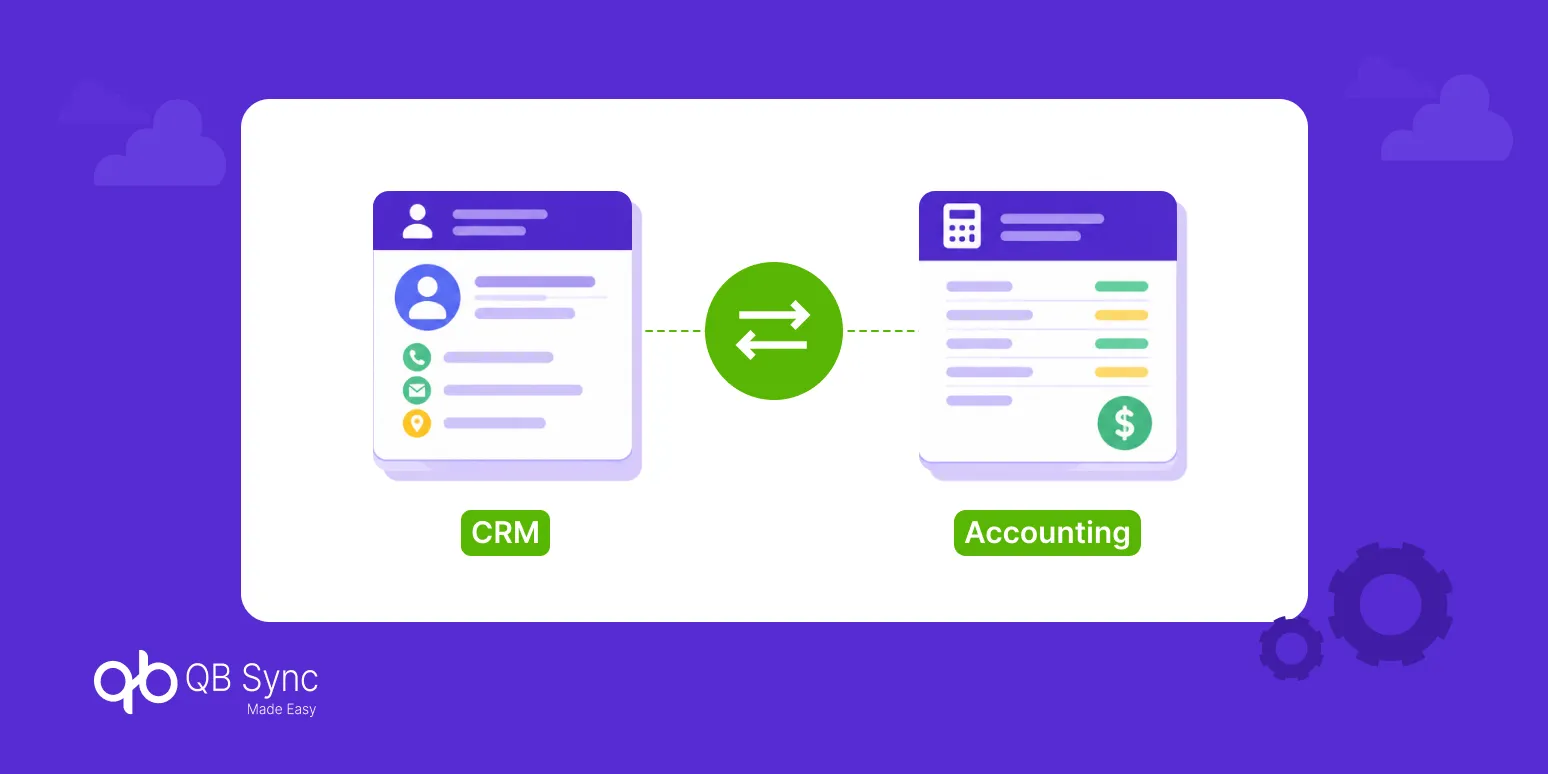
Bidirectional synchronization allows information to move between Salesforce and QuickBooks in both directions. So, when an update happens in one system, the connected record in the other system can be updated automatically.
This is what makes real-time QuickBooks sync useful. Teams don’t have to wait for someone to export a file, check a spreadsheet, or manually enter the same information again.
Here are a few ways this works in everyday business operations.
1. Customer and Product Details Stay Updated
Customer and product information often changes as businesses grow. A new billing address, updated phone number, or revised product price needs to be reflected wherever that information is being used.
With QuickBooks Salesforce integration, these updates can move between the two platforms without asking teams to make the same changes twice.
- Customer names, email addresses, phone numbers, and billing details stay aligned.
- Product names, descriptions, and pricing information can be kept consistent.
- Existing records can be matched to avoid creating unnecessary duplicates.
This also makes a QuickBooks Online Salesforce integration useful when sales and finance teams regularly work with the same customer and product records.
2. Invoices Don’t Have to Wait for Separate Updates
Once a deal moves forward in Salesforce, the next step often involves creating an estimate or invoice in QuickBooks with automation. If the two systems aren’t connected, someone has to collect the details and enter them again.
A connected workflow can take care of this without adding another manual step.
- Invoice details can be created or updated based on Salesforce records.
- Changes to customer and billing information can be reflected in connected invoices.
- Finance teams can access the latest invoice information without going back and forth between systems.
With real-time QuickBooks sync, the process becomes easier to follow, particularly when several deals are moving towards invoicing at the same time.
3. Payment Updates Become Easier to Track
Knowing whether an invoice has been paid is just as important as knowing when it was created. However, if payment details remain in QuickBooks, sales representatives may not always have the latest information in their CRM.
When payment records sync back into Salesforce, both teams can work with the same information.
- Sales representatives can check payment statuses before contacting customers.
- Finance teams can avoid sending unnecessary payment reminders.
- Overdue invoices become easier to identify and follow up on.
- Teams get a clearer view of outstanding balances and completed payments.
This is one of the practical benefits of QuickBooks sync, as it keeps payment information closer to the customer records sales teams already use.
4. Reports Become More Reliable
When customer, invoice, and payment information is updated separately, reports can show different figures depending on which system a team checks. This can make financial discussions and sales planning more difficult.
Keeping records connected gives both teams a more consistent starting point for their reports.
- Sales teams can check customer payment history alongside deal information.
- Finance teams can work with updated invoice and payment records.
- Managers can refer to more consistent figures when reviewing revenue and outstanding payments.
A CRM accounting integration also reduces the need to combine information from different spreadsheets just to get a clearer picture of business activity.
5. Custom Fields and Sync Rules Keep Records Organized
Not every business uses the same fields or follows the same process. Some may have additional customer details, custom product information, or specific accounting fields that need to move between systems.
This is why field mapping and sync rules matter as much as the connection itself.
- Map Salesforce and QuickBooks fields according to business requirements.
- Choose which records should sync in one direction or both directions.
- Set matching rules to avoid unnecessary duplicate records.
- Keep certain financial records restricted to the required sync direction.
With the right setup, businesses can decide how information moves instead of treating every record in the same way.
Connecting Salesforce and QuickBooks with QB Sync Made Easy
For businesses using Salesforce and QuickBooks Online or Desktop, QB Sync Made Easy offers a way to connect both platforms without relying on repeated manual updates.
The app supports QuickBooks Salesforce integration through real-time bidirectional synchronization, helping sales and accounting teams work with connected customer and financial records.
Some of its capabilities include:
- Bidirectional Data Sync: Sync customer, product, invoice, and payment information between Salesforce and QuickBooks Online.
- AI-Powered Matching: Match customer, invoice, and payment records to help avoid duplicate entries.
- Dynamic Field Mapping: Map standard and custom fields based on the information your business needs to exchange.
- Automated Workflows: Use Salesforce Flow to trigger QuickBooks-related actions based on business events.
- Custom Object Support: Connect QuickBooks data with Salesforce custom objects where required.
Additionally, teams can configure the sync based on their existing workflows, rather than changing the way they manage every customer or financial record.
You can explore QB Sync Made Easy features and QuickBooks Salesforce integration pricing, and see how it fits into your Salesforce and QuickBooks Online setup.
Conclusion
Keeping Salesforce and QuickBooks updated shouldn’t become another task for sales and finance teams. When information moves between both systems as changes happen, there’s less need to check records or enter the same details again.
A QuickBooks bidirectional sync helps bring customer, invoice, and payment information together, making everyday work a little easier while giving both teams a more consistent view of business records.
With QB Sync Made Easy, businesses can connect Salesforce and QuickBooks and manage these updates without repeated manual work.